
Makeup
Flows: Ordering and Throttling – Userpilot
Jul
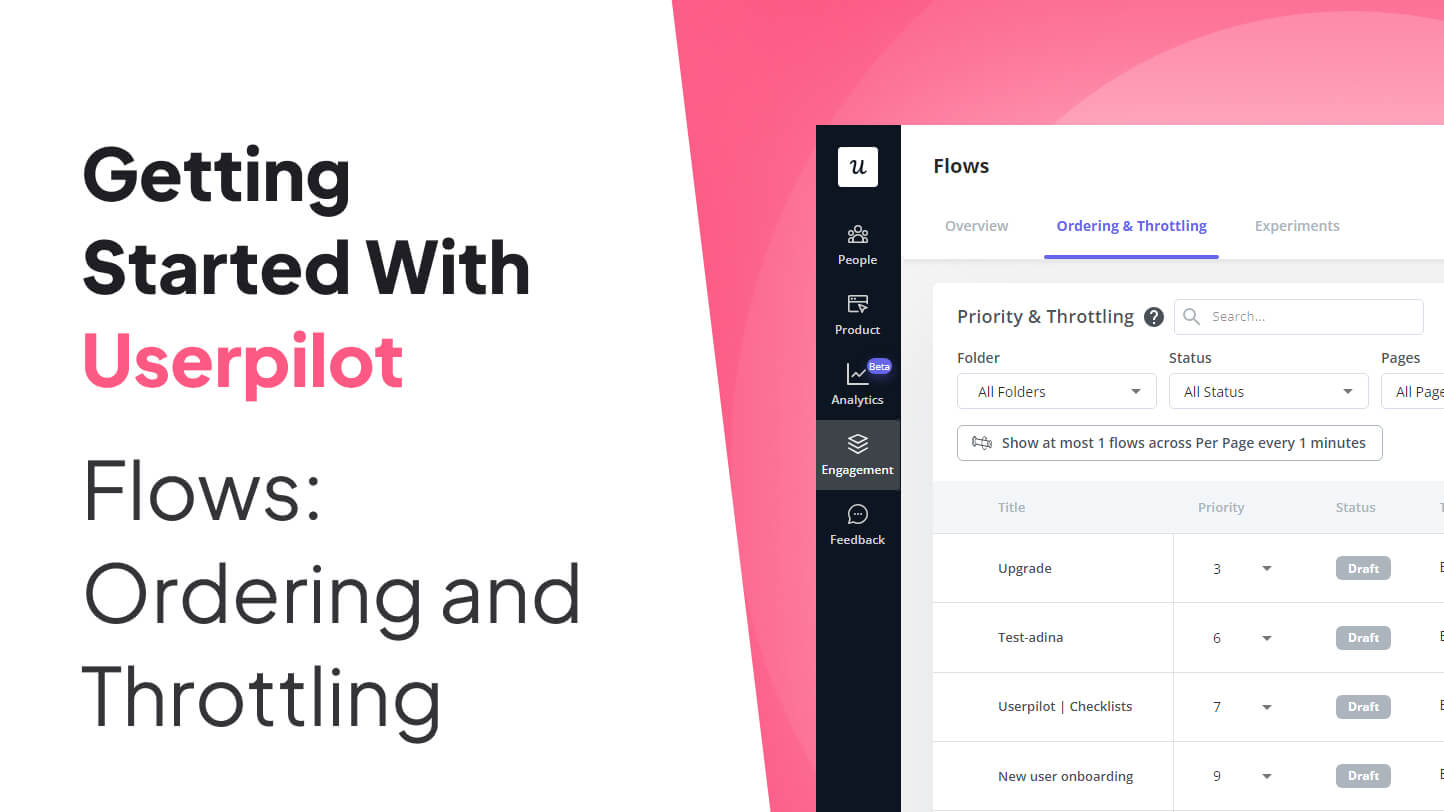
Building one in-app flow is easy. Building twelve flows that politely take turns instead of tackling users like an overenthusiastic sales team is where things become interesting. Userpilot’s flow ordering and throttling controls help product teams decide which experience should appear first, how frequently flows may appear, and when an important message should be allowed to skip the usual limits.
Used correctly, these controls turn a collection of tooltips, modals, slideouts, and driven actions into a coordinated product communication system. Used carelessly, they can produce a parade of pop-ups that makes users hunt for the close button before they have even learned where the dashboard is.
This guide explains how Userpilot flow ordering and throttling work, how the two features interact, and how to create a practical governance system that supports onboarding, feature adoption, product announcements, and customer education without overwhelming users.
What Are Userpilot Flows?
Userpilot flows are guided in-app experiences designed to help users understand a product or complete a task. A flow can combine several interface patterns, including modals, slideouts, tooltips, and driven actions.
Each format asks for a different amount of attention. A modal occupies the center of the screen and is difficult to ignore. A slideout is noticeable but generally less disruptive. A tooltip provides contextual information beside a specific interface element. A driven action waits for the user to interact with an element before continuing.
These patterns can support several jobs:
- Welcoming and onboarding new users
- Guiding users through account setup
- Introducing newly released features
- Helping users complete complicated workflows
- Promoting webinars, upgrades, or relevant resources
- Collecting feedback after meaningful product activity
The challenge appears when multiple flows target the same user or page. A new customer may qualify for a welcome tour, a feature announcement, a setup reminder, and a survey at the same time. Every campaign owner may consider their message important. The user, meanwhile, is simply trying to finish a task before lunch.
Ordering and throttling resolve this conflict by answering two different questions: which eligible flow should appear first, and how much in-app messaging should one user receive?
What Is Flow Ordering in Userpilot?
Flow ordering is Userpilot’s priority system. It determines which flow should be displayed first when more than one flow is eligible to appear on the same page.
How priority numbers work
In the ordering table, a smaller number represents a higher priority. A flow assigned priority 1 ranks above a flow assigned priority 2, while priority 2 ranks above priority 3. Teams can also rearrange flows by dragging and dropping them in the table.
Think of the list as airport boarding groups. Priority 1 gets called first, but only when it is actually standing at the gate with a valid boarding pass.
Ordering does not override eligibility
Priority does not force a flow to appear when its targeting or trigger conditions have not been met. Userpilot evaluates whether each flow is eligible for the current user. A lower-priority flow may appear first when the higher-priority flow is waiting for another event, user action, page condition, segment match, or delay.
For example, imagine these two flows:
- Priority 1: An integration guide shown only after the user connects a data source.
- Priority 2: A basic dashboard orientation shown on the first dashboard visit.
If the user has not connected a data source, the integration guide is not eligible. The dashboard orientation can therefore appear even though its numerical priority is lower. Once the integration condition becomes true, the higher-priority flow can enter the competition.
This distinction matters because ordering controls conflicts between eligible flows. It does not replace audience segmentation, page targeting, recurrence rules, or behavioral triggers.
Only page-specific flows appear in the ordering table
Userpilot’s ordering table displays flows configured with page-specific triggering. If a flow is missing from the table, check its trigger type before assuming the software has hidden it under a digital couch cushion.
Gaps in the priority numbers can also appear when flows have been archived, deleted, or configured without page-specific triggers. Those gaps do not prevent the remaining priorities from working.
What Is Flow Throttling?
Throttling limits how many flows users can see during a defined period. It is the in-app equivalent of deciding that a guest probably does not need six doorbells, three text messages, and a carrier pigeon to know dinner is ready.
Userpilot can limit flow exposure per page or across all pages. Limits can be configured around time windows such as a session, a number of minutes, hours, or days. At the time of writing, Userpilot documents throttling as a Growth and Enterprise plan feature.
Ordering versus throttling
The two controls are related but perform separate jobs:
| Control | Main Question | Example |
|---|---|---|
| Ordering | Which eligible flow appears first? | Show the account setup guide before the feature announcement. |
| Throttling | How many flows may appear during a period? | Show no more than one flow during a user session. |
Ordering creates a queue. Throttling controls how quickly users move through that queue. A beautifully prioritized list without throttling can still overwhelm users, while strict throttling without thoughtful ordering may suppress an important onboarding step in favor of a cheerful but nonessential webinar invitation.
Ignoring throttling for selected flows
Userpilot allows individual flows to ignore the general throttling settings. This exception is useful for truly important experiences, such as a critical service notice, security-related instruction, mandatory migration guidance, or major workflow change.
Use this option carefully. When every campaign ignores throttling, throttling becomes decorative rather than functional. A good internal rule is that bypassing the cap requires a clear explanation of what would go wrong if the user did not see the message immediately.
Why Ordering and Throttling Matter
They protect the user’s momentum
In-app messages reach people while they are actively using a product. That makes them contextual, but it also makes them interruptions. A message shown after a relevant action can feel like assistance. The same message shown in the middle of an unrelated task can feel like a tiny software ambush.
Throttling creates breathing room, while ordering makes sure the limited attention goes to the most relevant experience.
They prevent campaign collisions
Product, marketing, customer success, support, and research teams may all publish in-app content. Without shared priority rules, users can receive overlapping requests from departments that are unaware of one another.
A central ordering policy makes the product experience coherent even when several teams own campaigns.
They improve learning
Users rarely need a complete encyclopedia on their first visit. They need the next useful instruction. Progressive guidance introduces information as users reach relevant milestones, reducing cognitive load and making each flow easier to understand.
They produce cleaner analytics
If a user sees four competing prompts in one session, it becomes difficult to determine which flow influenced the next action. Controlled spacing reduces interference and makes completion, adoption, and conversion data easier to interpret.
How to Create a Practical Priority Framework
A priority system should reflect user impact rather than the enthusiasm of the person requesting the campaign. One useful framework is to divide flows into four levels.
Priority 1: Critical experiences
This level includes service interruptions, security instructions, mandatory migrations, compliance-related notices, and guidance required to prevent data loss. These flows may justify ignoring throttling, although exceptions should still be documented and reviewed.
Priority 2: Activation and task completion
These flows help users reach initial value or complete an important workflow. Examples include connecting an integration, inviting a teammate, creating a first project, importing data, or publishing the first report.
Priority 3: Contextual adoption
These experiences introduce a feature after the user has reached the stage where it becomes useful. A user who has created a dashboard might receive guidance about scheduled reports. A workspace administrator who has invited several colleagues might see information about role permissions.
Priority 4: Promotional and research messages
Webinar promotions, general announcements, upgrade campaigns, and nonurgent surveys usually belong near the bottom. They can still create value, but they should not interrupt core setup or task completion.
Within each tier, use additional criteria such as urgency, audience size, campaign expiration, user intent, and expected business impact. Give each flow a clear owner and review date so an announcement from six months ago does not continue outranking a new activation guide like a forgotten monarch refusing to leave the throne.
Recommended Throttling Strategies
There is no universal cap that fits every product. A design platform used for eight hours each day can support a different cadence from a payroll application opened twice a month. Start conservatively, observe behavior, and adjust based on evidence.
For brand-new users
Consider allowing one primary guided experience per session, supported by passive elements such as a checklist or resource center. New users need direction, but they also need room to explore and complete real work.
For established users
Use behavior-based triggers and wider spacing. Returning users generally require contextual guidance rather than a sequence of basic tours. A flow should appear because the user entered a relevant workflow, not merely because Tuesday arrived.
For product launches
Prioritize the announcement only for users who can access and benefit from the feature. Follow the announcement with task-based guidance after the user opens or attempts to use the feature. Avoid explaining every detail in the first modal.
For surveys and feedback requests
Place surveys after meaningful experiences, such as completing a task or using a feature several times. Do not let a survey compete with onboarding, an error-recovery flow, or a critical notice. Asking for feedback before the user has experienced value is like requesting a restaurant review while the customer is still reading the menu.
A Step-by-Step Configuration Workflow
- Inventory live and scheduled flows. Record each flow’s owner, audience, trigger, page, objective, recurrence, format, and campaign period.
- Identify collision points. Look for pages and segments where several flows may become eligible together.
- Assign business tiers. Separate critical, activation, adoption, and promotional experiences.
- Set numerical priorities. Give the smallest numbers to the flows that protect users or accelerate essential value.
- Configure throttling. Select an initial per-page or cross-page limit based on product usage patterns.
- Approve exceptions. Mark only genuinely urgent flows to ignore throttling.
- Test real sequences. Use representative accounts and test users who match different roles, plans, lifecycle stages, and behavior histories.
- Publish gradually. Begin with a smaller segment when possible before exposing the entire eligible audience.
- Monitor results. Review impressions, completion, dismissals, downstream actions, and support feedback.
- Clean the queue. Archive outdated campaigns and revise priorities whenever the product journey changes.
Common Mistakes to Avoid
Giving every launch top priority
Priority inflation defeats the system. When everything is urgent, the ordering table becomes a political document rather than a user-experience tool.
Using priority instead of targeting
A high-priority flow still needs accurate page, audience, and behavioral conditions. Ordering cannot rescue broad or outdated segmentation.
Creating long chains of consecutive flows
Userpilot generally recommends concise flows, often around three to five steps. Break complex education into milestone-based experiences rather than delivering a guided documentary series during the first session.
Ignoring dynamic interface changes
Flows that rely on changing page elements can stall when selectors or layouts change. Test complete sequences after product releases, especially when driven actions depend on specific buttons or fields.
Measuring only flow completion
A user can complete a tour without adopting the feature. Connect each flow to a meaningful product outcome, such as creating a project, inviting a teammate, connecting an integration, or returning to the feature later.
How to Measure Whether the System Works
Ordering and throttling should be evaluated as part of the larger product journey. Useful measurements include:
- Flow start and completion rates
- Dismissal and abandonment rates
- Time required to reach an activation milestone
- Feature adoption after exposure
- Conversion to the intended goal
- Repeat usage after the first interaction
- Support requests related to the guided workflow
- Differences between exposed and unexposed users
Where available, controlled experiments can compare a flow with no flow, one version with another, or several variants. Keep test conditions aligned and avoid changing priority, audience, copy, format, and throttling simultaneously unless the experiment is designed to evaluate the entire system. Otherwise, the result may tell you that something changed without explaining what caused it.
Experience-Based Lessons From Managing Multiple Userpilot Flows
The most useful lesson from managing a busy in-app messaging program is that the problem is rarely a lack of flows. The problem is usually a lack of traffic control.
A team may begin with a welcome experience and one feature tooltip. Six months later, the product contains onboarding guides, release announcements, trial reminders, upgrade prompts, surveys, event invitations, and support messages. Each campaign works reasonably well in isolation. Together, they behave like twelve people attempting to walk through the same doorway while carrying laptops.
The first improvement is often an inventory rather than a redesign. Listing every active flow reveals duplicated messages, forgotten campaigns, competing triggers, and experiences that no longer match the interface. In many cases, archiving outdated content improves the experience before any new settings are introduced.
The second lesson is that priorities should be based on user state. A welcome flow is important for a first-time user but irrelevant to someone who has completed fifty projects. A permissions guide may be critical for an administrator and useless to an ordinary team member. The strongest ordering systems are therefore supported by precise segmentation and behavioral eligibility.
The third lesson is to be conservative with throttling exceptions. During planning meetings, almost every stakeholder can produce a persuasive explanation for why a campaign must be seen immediately. Requiring an explicit risk statement changes the conversation. “We want more webinar registrations” is not equivalent to “Users may configure the migration incorrectly and lose access.” The latter may justify bypassing the cap; the former can wait its turn.
Testing also needs to resemble real product usage. Previewing one flow confirms its copy and design, but it does not reveal what happens when a user qualifies for three flows, changes pages, dismisses a modal, returns later, or updates an account property. Sequence testing should include multiple sessions and realistic account histories.
Another practical lesson is that lower completion does not always mean failure. A concise tooltip may produce fewer formal completions while increasing the desired action. Conversely, a highly polished tour may achieve excellent completion because users click “Next” rapidly without learning anything. Product behavior should remain the primary evidence.
Finally, ordering is not a one-time setup. Priorities should be reviewed alongside product launches, onboarding changes, seasonal campaigns, and interface updates. A short monthly governance session can prevent months of message clutter. During that review, remove expired flows, inspect exceptions, verify ownership, and ask one blunt question: would a user consider this message helpful at this exact moment?
That question keeps the system grounded. Userpilot provides the controls, but the quality of the experience still depends on product judgment. Good ordering makes the next message relevant. Good throttling creates space around it. Together, they help in-app guidance feel like part of the product rather than a stack of tiny billboards competing for attention.
Conclusion
Userpilot flow ordering and throttling give product teams a practical way to coordinate in-app experiences at scale. Ordering determines which eligible, page-specific flow receives priority. Throttling limits how many flows users see across pages or during selected time periods. Carefully approved exceptions ensure that genuinely critical messages are not delayed.
The best results come from combining these settings with accurate targeting, behavioral triggers, concise content, realistic sequence testing, and outcome-based analytics. Start with a clear priority framework, protect new users from message overload, and regularly remove campaigns that have outlived their usefulness.
Your users do not need to know that five departments are publishing content inside the product. They should experience one timely, coherent journeyand ideally never feel the need to develop world-class speed at closing modals.

